Day App

How it works

From a conversation to a plan you can finish

Day App doesn't have its own chatbot. It's the place where the assistant you already use puts the useful part of a conversation, on your phone, for the day it matters.

1. Connect your assistant, once

In Claude or ChatGPT, add Day App as a connector with the address https://api.dayapp.co.uk/mcp. You sign in with the same account as the app and press Allow. Day App uses the open Model Context Protocol (MCP), so other assistants that support MCP connectors can connect the same way.

You can see every connection in the app under Me, with when it was last used, and disconnect it with one tap.

Connecting assistants
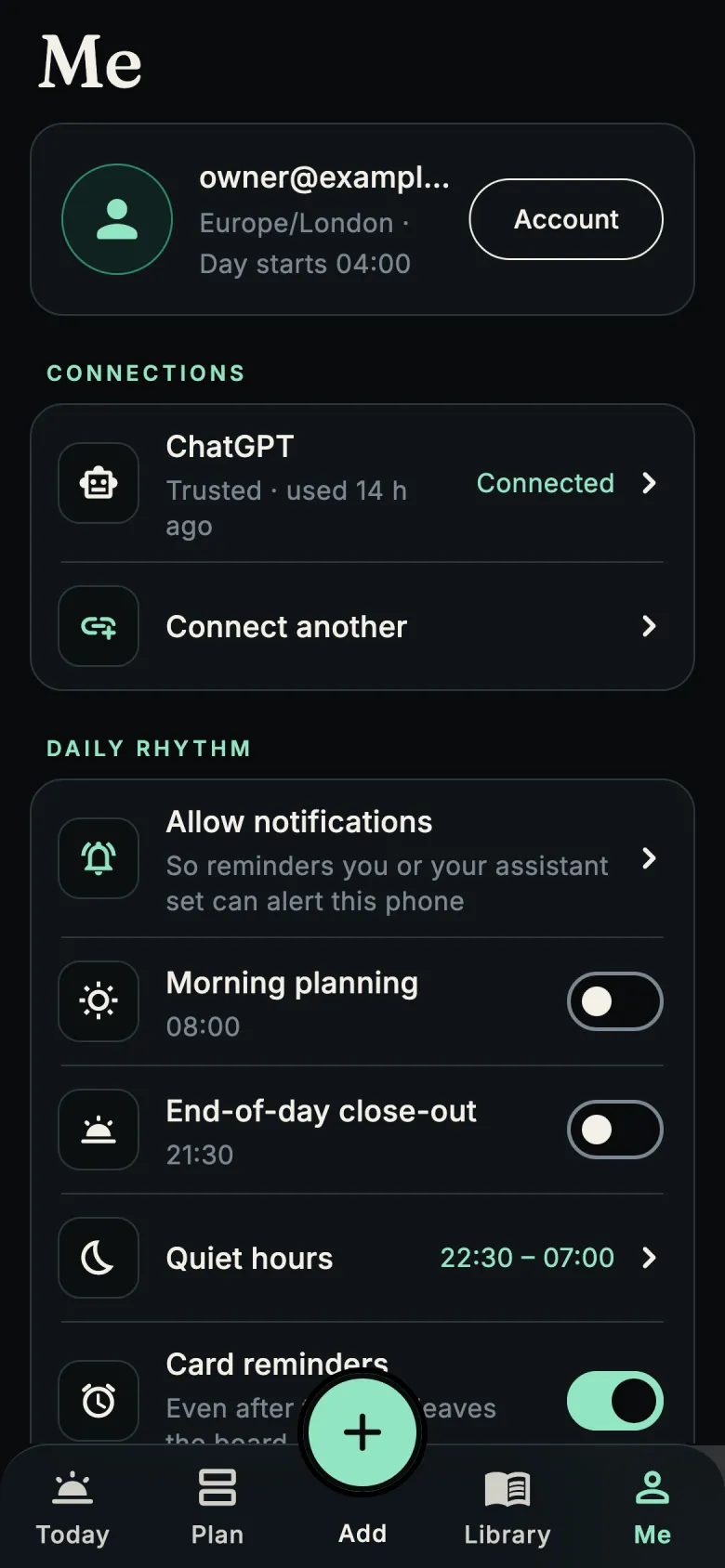
The Me screen showing a connected ChatGPT and a button to connect another assistant

2. Talk about your day

"I'm home at six and need an hour off. Then something easy for dinner for two, and put what I'm missing on the shopping list."

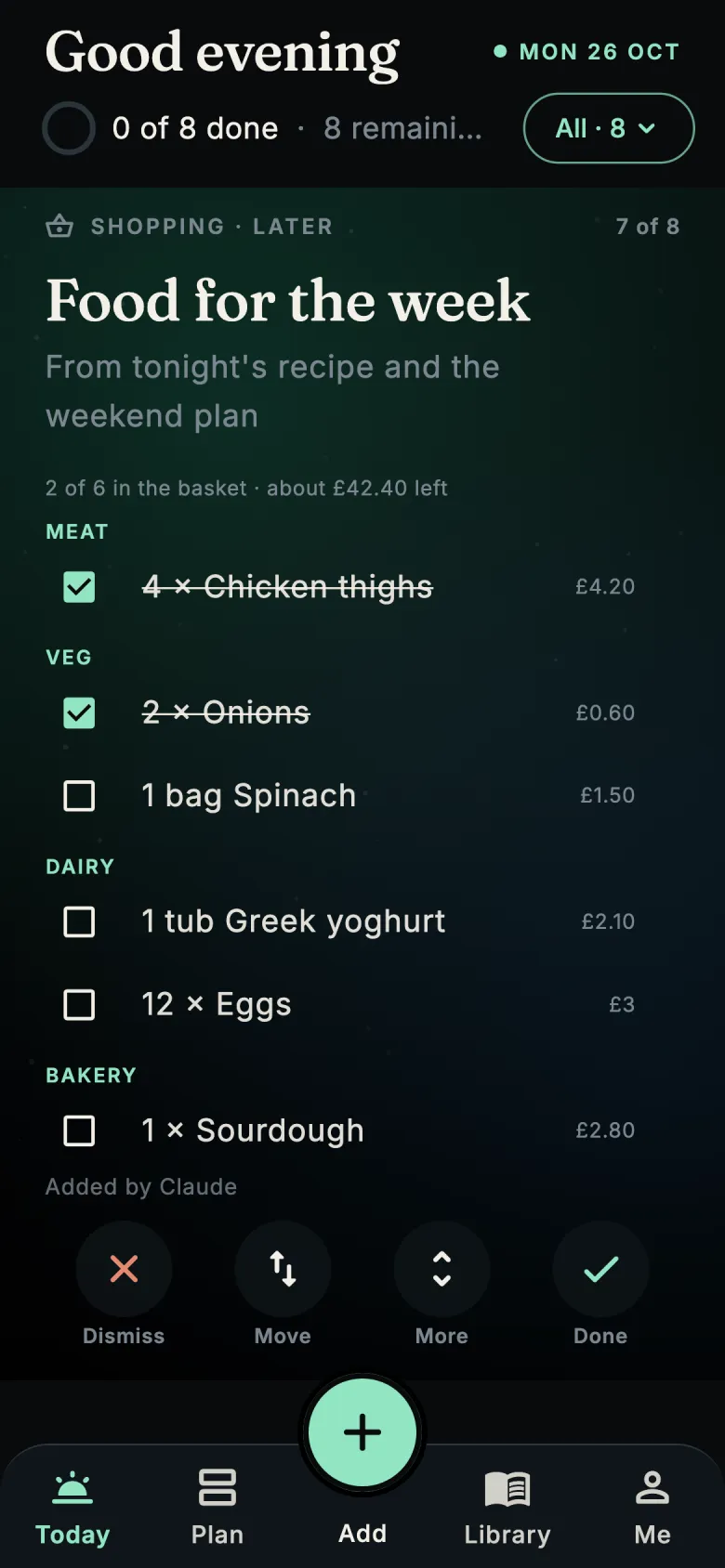
Your assistant turns that into cards: a reminder for the hour of rest, a recipe with steps and a safety note, and a shopping list grouped by aisle. Before anything is saved, Day App checks each card's format and that live information has a source.

A shopping list card grouped into meat, veg, dairy and bakery with prices and ticked items

3. Live the day

Today shows one card at a time in time order. Swipe or tap the buttons to mark something done, move it to later, snooze a reminder or dismiss what you don't need. If you don't finish something, follow it up on another day and nothing gets lost.

Inside Today
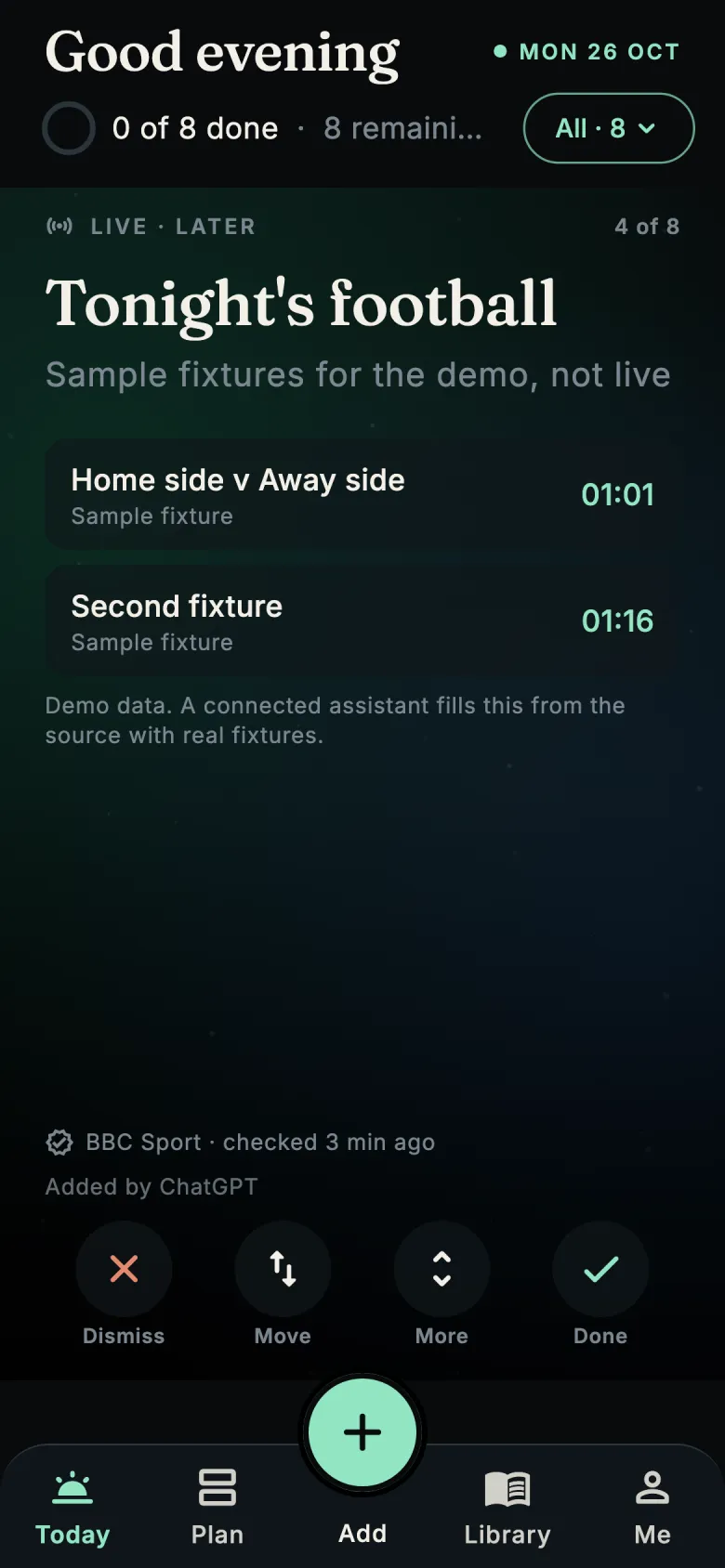
A live information card for tonight's football, showing its source and when it was checked

4. Plan ahead when you want to

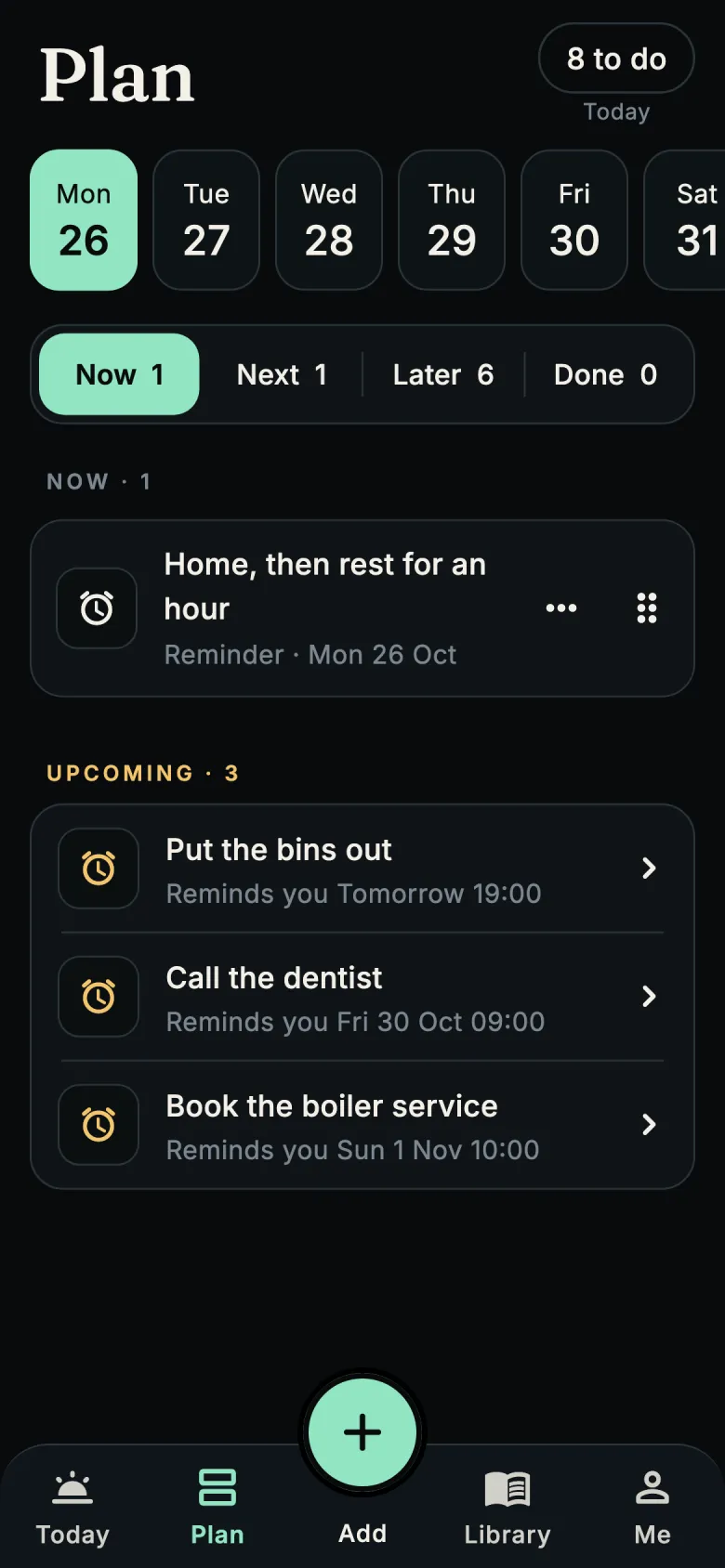
Ask your assistant to plan any day ahead, or plan it yourself under Plan. Reminders you set appear under Upcoming, even after their card has gone. Routines are only ever suggested: you turn them on.

Plan and reminders
The Plan screen with a week of days, slots for now, next and later, and upcoming reminders

5. The day ends

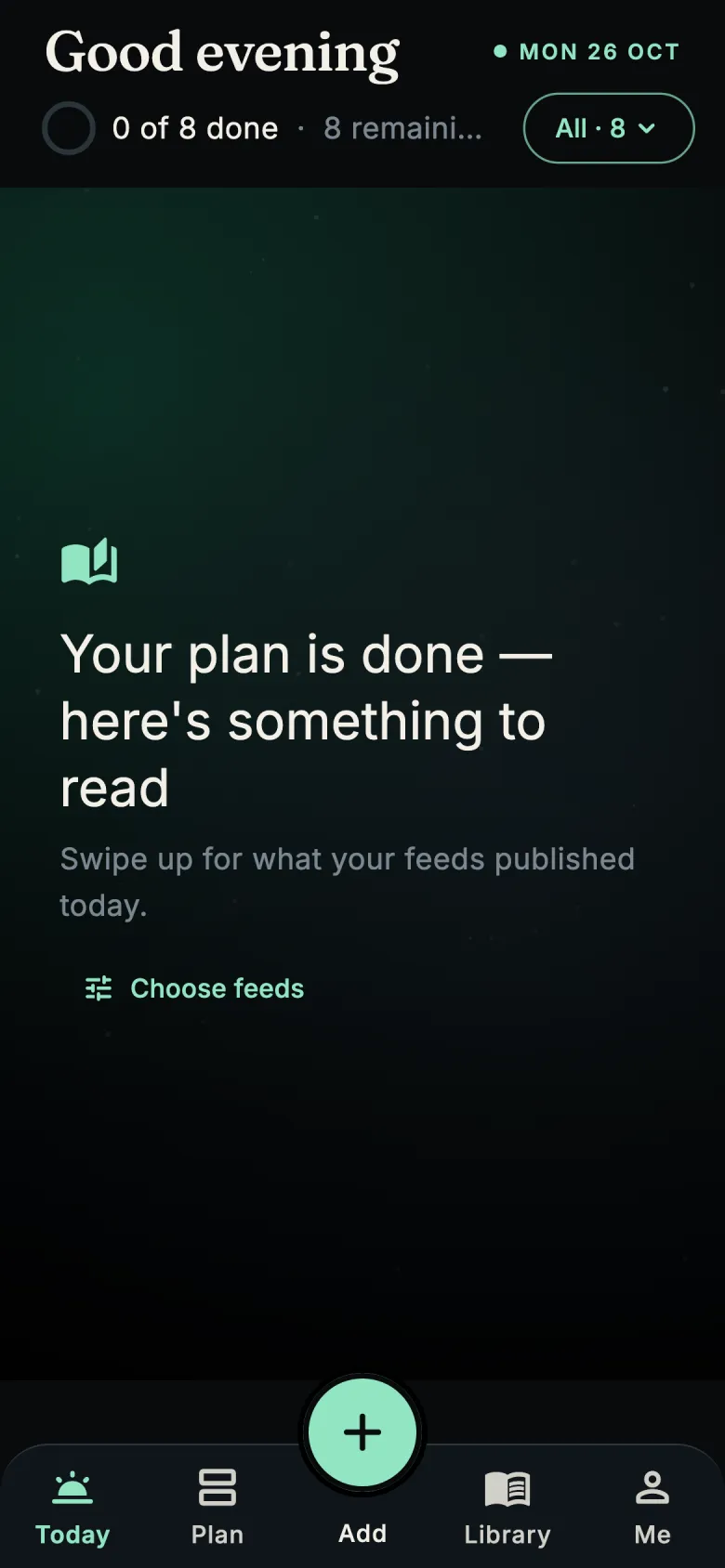
When your plan is done, Day App offers a short read from the sources you chose. When that's finished, so is the app. Close out the day if you like: carry anything unfinished forward, or let it go.

Reading that ends
The end of the day: your plan is done, here's something to read, with a button to choose feeds

Day App is in private testing on iPhone and Android

Want to try it before it reaches the App Store and Google Play? Email us and tell us which phone you use.

Ask to join the test